Clues Hidden in the Landscape
Whispering Woods Riddle Quest turns the environment itself into the puzzle. Each area hides its solution in plain sight: a pattern in tree bark, an unusual arrangement of leaves, or a rock formation that breaks the natural order. You unlock the next step by noticing what doesn't quite belong. The puzzles are woven into the scenery rather than presented as separate obstacles, so solving them feels like reading the woods rather than clearing a level.
Observation as the Core Skill
Success depends on how carefully you scan each scene. A misplaced stone, an oddly shaped branch, or a sequence of colored flowers can hold the answer. The game trains your eye to look past the obvious and pick up on patterns that others might miss. Over time, you develop a sharper sense for visual anomalies, which becomes the real progression system.
No Timers, No Penalties
There are no countdowns or penalty systems. You can pause at any point and return later without losing progress. This makes the experience suitable for short breaks or longer sessions. The gentle pace encourages thoughtful exploration rather than quick reactions, and the lack of pressure means you can sit with a tricky clue as long as you need.
Soft Visuals and Ambient Sound
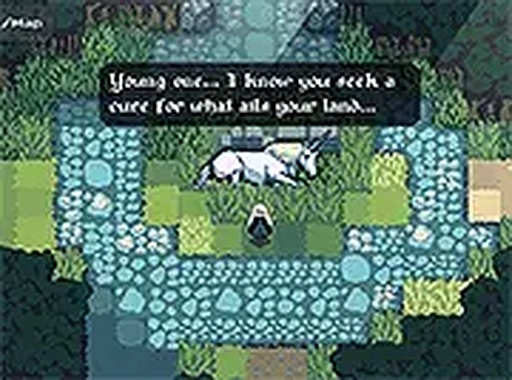
The woodland setting uses soft colors and natural shapes to create a soothing mood. Background sounds of rustling leaves and distant birds add to the immersion without being distracting. The art style focuses on clarity, so important clues stand out against the scenery rather than blending into visual noise.
Play Anywhere in a Browser
The game runs entirely in a web browser. No downloads or installations are required. It works on desktop computers and mobile devices with touch support. Full-screen mode is available for a more focused view, and progress saves automatically as you move through the areas.
Compatibility
✅ Works on PC & Mobile | Recommended: Chrome / Safari / Edge












Editorial Notes